
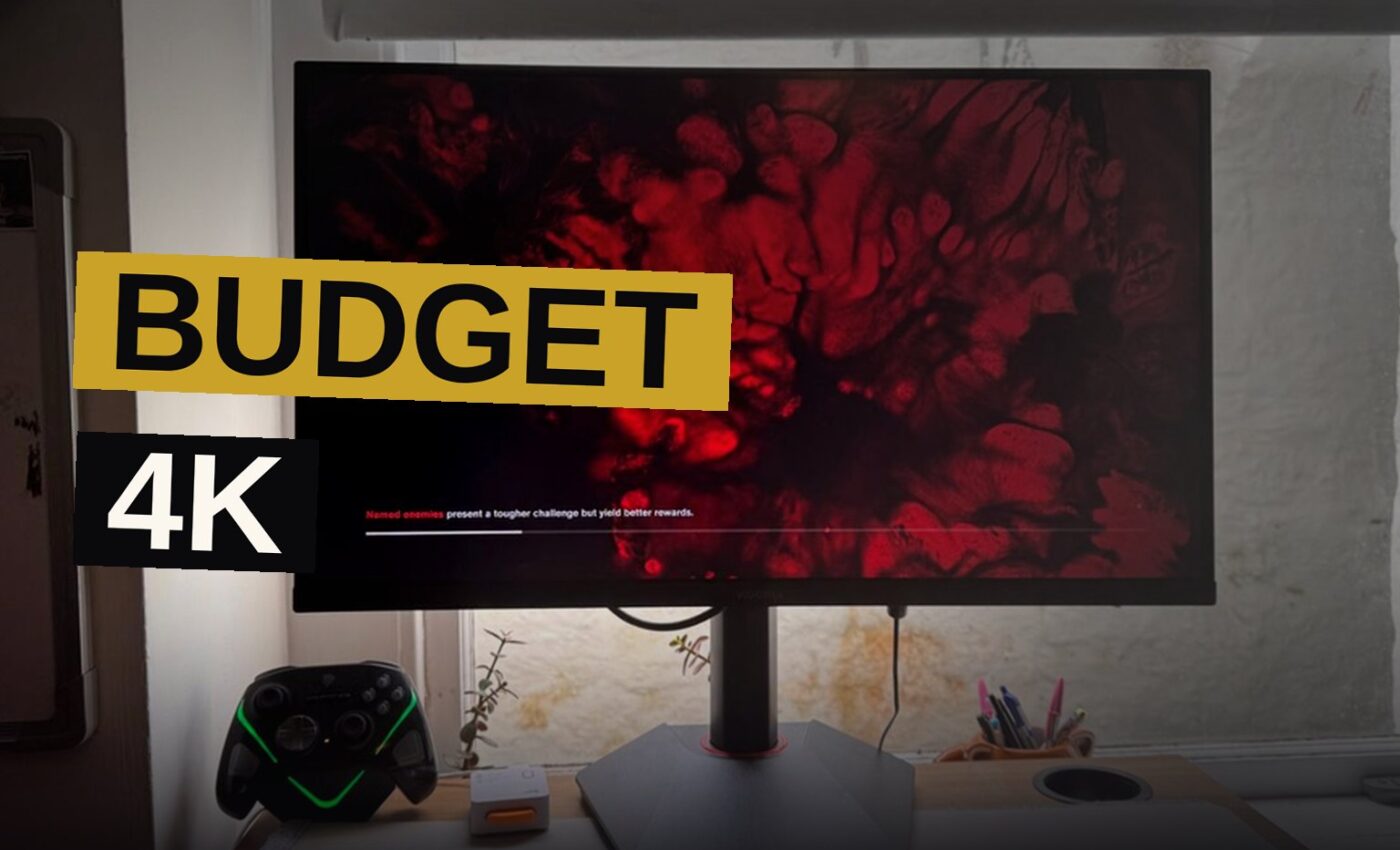
The Koorui G2741L is a budget 4K gaming monitor that makes a strong case for itself — until you remember that OLED panels now sit at practically the same price. PC Gamer’s review calls it “a reasonably priced 4K offering that is well worth considering on a budget,” but notes that dual-mode functionality still isn’t perfect.
The review praises the monitor’s IPS panel, its 4K and 1080p dual-mode capabilities, and its competitive pricing. The main drawbacks are the imperfect dual-mode implementation and the fact that OLED options now cost about the same.
Specs and Ports on the G2741L
The G2741L fits the mould for a budget-oriented 4K gaming monitor. Koorui claims a 1 ms response time and a 160 Hz refresh rate in 4K. The monitor makes compromises where it needs to — it’s not massively bright and not super fast — but it’s good enough in both categories to work just fine for 4K gaming.
The 400 nits brightness in HDR mode sits slightly above budget spec, which makes it bright enough for gaming beside a window. The panel is 27 inches, which the review calls a sweet spot for dual-mode monitors: big enough to get value out of the high resolution, and small enough that 1080p doesn’t feel like a massive hit.
The monitor comes in two parts — the panel and the stand — which clip together quickly. “It’s super easy to set up too,” the review notes. “Despite this being very easy, it’s not a weak stand, and my desk shaking does not cause anything to pop out of place.”
You get two HDMI ports, a DisplayPort and an audio jack. There are no built-in speakers or USB port for charging, which the review calls “a slight shame but understandable given the cost.” The monitor can pivot 90 degrees left and right, and tilt up to 25 degrees.
The Dual-Mode Button and Its Quirks
Dual-mode is the standout feature. You can swap from 4K to 1080p in just a few seconds using the button on the back. The monitor only has one button, so you have to scroll through menus to find the option.
“I’d personally love a single button for activating dual-mode quickly,” the review says, “but it doesn’t take too long to activate once you know where the button is.”
The appeal is straightforward: you can run 1080p at double the refresh rate for competitive or highly intensive games, then switch back to 4K for lush visuals or a clean desktop. The review says the option “makes so much sense to me.”
Picture Quality and Colour Accuracy
The IPS panel delivers strong viewing angles, good colours and consistent performance. The HDR400 rating is barebones on paper, but in practice it’s “punchy and feels rather bright.” The review notes the monitor seemed stale without HDR on — the difference is that stark.
With 95% DCI-P3 colour coverage and 100% sRGB, colour accuracy is “lush for the price,” though it obviously lacks the true blacks and vibrant colours of an OLED. The IPS panel has the typical “not quite black” blacks, but the contrast is strong, helped by the monitor’s software.
The review found the monitor needed very little tweaking out of the box. “I’d advise not tweaking it too much, as it’s pretty finely tuned already.”
Day-to-day desktop use is best in 4K, where text and casual video really pop. For gaming, the choice between 4K and 1080p depends on whether your rig can handle it. In an RTX 4070 Super machine, the review’s author almost always opted for the higher resolution. An RTX 2070 rig, however, benefited from being able to swap at a moment’s notice.
The monitor uses a matte anti-glare coating, which makes it slightly more viable near a window with lots of light. Glossy finishes tend to offer a clearer image, but the matte coating has its own advantages.
The review tested the monitor with Control, noting that it “looks phenomenal in 4K, its angular brutalist architecture contrasting against all the blood and moody lighting. Even without true blacks, the G2741L does a great job at contrasting blacks, reds and blues, with little clarity getting lost.”
OLED Pricing Pressures the Koorui
The review’s biggest caveat is the pricing landscape. “OLED is an elephant in the room at practically the same price,” the verdict reads. For the price of this Koorui, you could go a little upward and get the eye-popping colours of an OLED panel.
That’s a serious consideration for budget shoppers. The G2741L is a solid IPS monitor, but OLED offers true blacks and vibrant colours that IPS simply cannot match. The review suggests that if you can’t run 4K, you’d be better off picking up a 1080p or 1440p monitor, or spending a little more for an OLED.
The Asus ROG Strix XG27UCG Comparison
The Asus ROG Strix XG27UCG sits as PC Gamer’s pick for the best budget 4K gaming monitor. It costs $100 more than the Koorui and offers almost identical specs. The review calls that “a few ticks in my book already” for the Koorui.
| Monitor | Price | Specs |
|---|---|---|
| Koorui G2741L | Budget-friendly | 4K / 1080p dual-mode, 160 Hz, IPS |
| Asus ROG Strix XG27UCG | $100 more | Almost identical specs (per PC Gamer) |
The review notes that stats don’t tell you everything. “I’ve had this Koorui gaming monitor planted on my desk for a few weeks, and I was pleasantly surprised by it.”
Who Should Buy the Koorui G2741L
The review’s buy recommendation is clear: you want cheap 4K with good 1080p. “You would struggle to find quite so reasonable a deal on such a high refresh rate dual-mode 4K monitor.”
The don’t-buy advice is equally clear: if you can’t run 4K, this isn’t the monitor for you. At that price, you’d be better served by a 1080p or 1440p monitor, or by stretching the budget slightly for an OLED.
Dual-mode monitors have become increasingly common at nearly no extra cost, and that’s making them a “mighty viable choice,” especially for rigs that can only sometimes run native 4K resolution. The review frames this as a consistent trend: “We are consistently getting the option for nearly no extra cost.”
It’s been more than a year since PC Gamer’s review of the Asus ROG Strix XG27UCG, and the Koorui undercuts it by $100 on price.
Key Facts
- Monitor: Koorui G2741L
- Resolution: 4K and 1080p dual-mode
- Refresh rate: 160 Hz in 4K
- Response time: 1 ms (claimed)
- Brightness: 400 nits in HDR mode
- Colour coverage: 95% DCI-P3, 100% sRGB
- Ports: Two HDMI, one DisplayPort, one audio jack
- Stand: Pivots 90 degrees, tilts 25 degrees
- HDR rating: HDR400
- Comparison: Asus ROG Strix XG27UCG costs $100 more
The Koorui G2741L delivers strong value for budget-conscious gamers who want 4K and high refresh rates without breaking the bank. It’s easy to set up, its stand holds firm, and its dual-mode functionality is genuinely useful for mixed workloads. But the monitor market has shifted, and OLED panels now sit at practically the same price — so the G2741L’s value depends entirely on whether you can live without true blacks.
Source: pcgamer.com
Get the Notebook.
The day's best stories and every fresh verdict, in plain English, in your inbox by seven. One email a day, no more.