
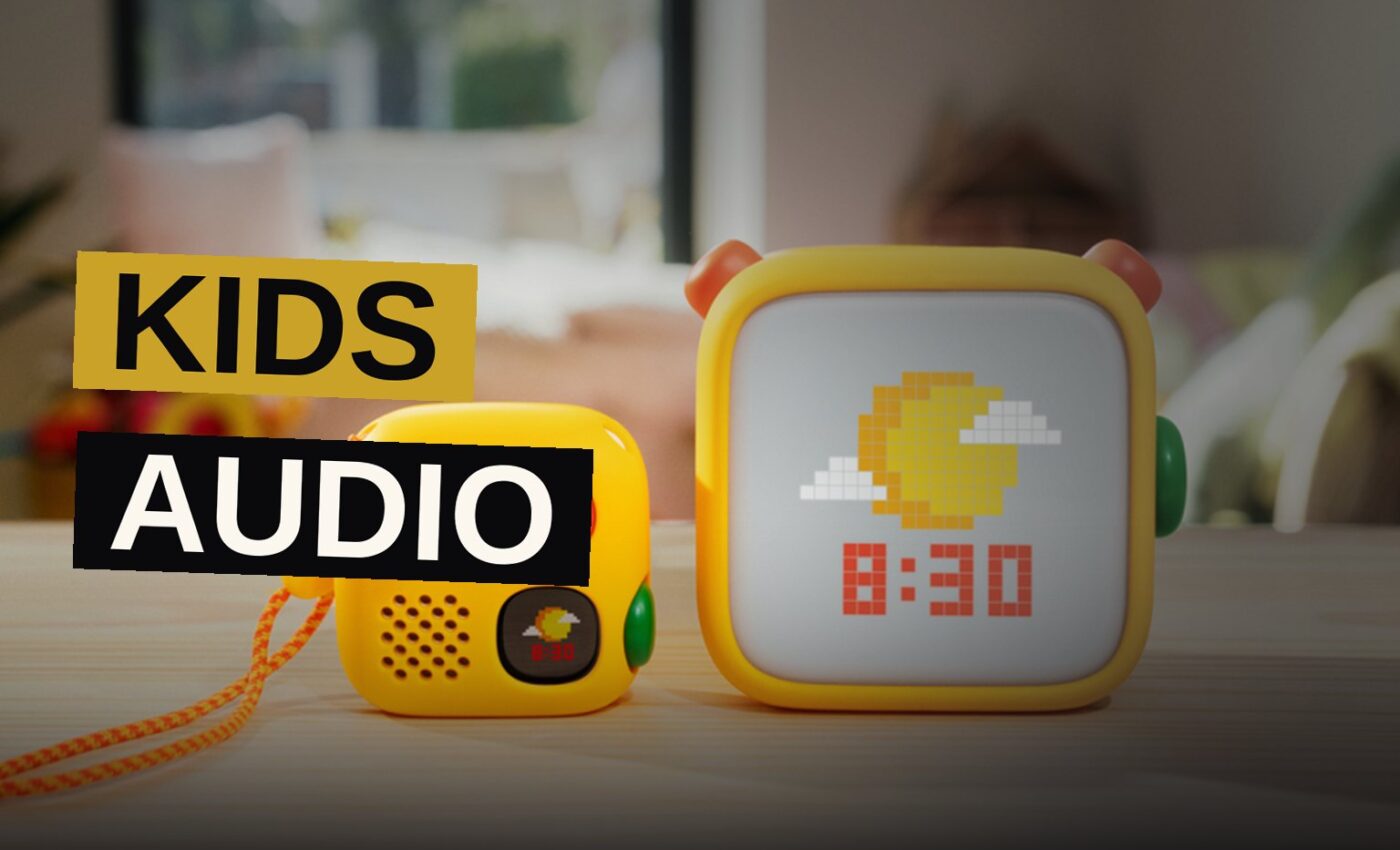
Yoto has redesigned its screen-free speakers, and the new version gives kids a way to play their favorite audio without needing a physical card at all.
The company announced the 4th generation Yoto Player and Yoto Mini today. Both devices add a new customisable Green Button on the side. Once an adult programs it through the Yoto App, a child can twist and press the button to start the content themselves. No card required.
It is a practical fix for a familiar family problem: the road trip where the card collection got left on the kitchen table.
The Green Button’s Purpose
Yoto’s speakers play kid-friendly stories, songs and other audio when Yoto Cards are inserted. The design is meant to be a more mentally stimulating alternative to screens, and it gives children the freedom to choose what they hear without the risk of stumbling across inappropriate content.
The catch has always been the cards themselves. You have to trust your kids not to lose them. Adults could still play content from lost cards through the Yoto App, but that removed the independence that makes the system appealing.
The Green Button solves that. Up to 20 pieces of content can be programmed to the button at once, selected from Yoto’s physical cards, digital-only cards, or any other audio available on the app.
Yoto states that its cards are still central to its system and remain the primary way children engage with the speakers. The Green Button simply adds flexibility.
Setup Through the Yoto App
Setting up the Green Button is handled entirely through the Yoto App. The process works in order:
- An adult programs the button with a child’s favorite Yoto content through the Yoto App.
- The child twists the button and presses it.
- The selected content plays immediately, with no card insertion required.
The button is customisable, so an adult can change what content it plays. The source does not detail the exact steps or menus inside the app, only that configuration happens there.
The button can hold a rotating selection of content. Up to 20 pieces can be programmed at once, drawn from Yoto’s physical cards, digital-only cards, or any other audio available on the app.
Time-Based Content on the 4th Gen
The 4th Gen speakers also introduce automatic transitions based on the time of day. The devices can shift to different content according to schedule, offering gentle cues to help keep families on track.
This applies to audio content such as sleep sounds at bedtime. It also covers the digital clock and the Yoto Player’s night light, which can adjust as part of the same timed routine.
It is a small step toward letting the device itself nudge a child toward winding down, rather than relying on a parent to remember to start the bedtime playlist.
The timed transitions work across both the Yoto Player and the Yoto Mini. Yoto has not detailed the full range of scheduling options in its announcement.
Storage Doubles to 64GB
Both the Yoto Player and Yoto Mini have increased their storage from 32GB to 64GB. Yoto states that this is enough room for over 1000 hours of audio, which is more than 40 days.
That is a significant jump for families who download a large library for travel or who prefer to keep a broad selection available offline. The extra space means less curation and more choice for the child.
The storage increase applies to both devices equally. There is no difference in capacity between the Yoto Player and the Yoto Mini in this generation.
For families who have accumulated a large collection of Yoto Cards over the years, the doubled storage means they can download more of their library directly to the device. This is particularly useful for road trips where internet access may be unreliable.
Pre-Order Schedule
The 4th Gen Yoto Player and Yoto Mini are available for pre-order from Sept. 11.
| Date | Event |
|---|---|
| Sept. 11 | Pre-orders open for 4th Gen Yoto Player and Yoto Mini |
That is the only scheduling detail Yoto has announced. Shipping dates and pricing were not part of the announcement.
Why the Card System Remains Central
Yoto’s approach has always been built on a physical object. The card is a tangible token that a child can hold, insert and swap. It gives them agency over their listening in a way that a screen-based menu does not.
The Green Button does not replace that. It complements it. For a parent packing for a trip, it means the speaker is not useless if the cards are forgotten. For a child, it means their favorite album is always one twist away.
Yoto states explicitly that cards remain the primary way children engage with the speakers. The company’s positioning is clear: the card remains the core of the experience, and the button is an addition, not a substitute.
Yoto states that its cards are still central to its system. The Green Button exists alongside them, offering a secondary path to content rather than a replacement for the established method.
The Independence Factor
The upgrade addresses a real friction point. The Yoto system is popular with parents who want to limit screen time, and the physical cards are part of that appeal. But they are also a single point of failure.
Losing a card meant losing access to that content on the speaker itself, unless an adult intervened through the app. The Green Button removes that dependency for up to 20 selected items.
The independence the system promises is preserved even when the physical objects go missing. A child can still choose what to listen to, and an adult does not need to step in and play content from the app on their behalf.
That matters for the product’s core promise. Yoto markets its speakers as giving children control over their own listening. The Green Button extends that control to situations where the cards are not available.
What Changes for Families
The 4th Gen models are a thoughtful update rather than a radical overhaul. The core concept is unchanged: a screen-free speaker that children control themselves.
The Green Button is the headline feature, and it directly answers a common complaint. The timed transitions and doubled storage are quieter improvements, but they make the device more useful in daily life.
The three changes work together. The Green Button provides flexibility in the moment, the timed transitions provide structure across the day, and the storage increase ensures there is room for everything a family wants to download.
For families already in the Yoto ecosystem, the upgrade is worth considering. The improvements address specific limitations of the previous generation without changing the fundamental experience.
The Bottom Line
The cards are still the heart of the Yoto system. The Green Button does not change that, and Yoto says it does not intend to.
What the 4th Gen adds is forgiveness. A forgotten card collection no longer means a silent speaker. A child who cannot yet manage cards still has a way to start their own audio. A family with a large library has room to store more of it on the device.
The timed transitions add a layer of structure that parents can set once and rely on. The night light and digital clock joining the audio in those routines makes the whole device feel more cohesive.
Yoto has delivered a solid iteration on a popular product. The cards remain central, but the new flexibility makes the system more forgiving for real life.
That is a good thing for parents and kids alike.
Source: mashable.com
Get the Notebook.
The day's best stories and every fresh verdict, in plain English, in your inbox by seven. One email a day, no more.